

How to Rank Higher on Google Maps
Most "rank higher on Google Maps" advice is a random pile of 30 tips with no priority -- so you do the five easy ones, skip the five that matter, and wonder why nothing moved.
Here's the shortcut: Google ranks on three things, and every real tactic is just a way to strengthen one of them. Learn the three, and the whole to-do list itself by impact.
Below is a prioritized, do-this-in-order playbook built for home service businesses - the ones that live and die by inbound calls from their service area. Each step notes which ranking factor it moves and roughly how much lift it delivers, so you spend your time where it actually counts. At the end, the tactics to stop wasting time on.
Table of Contents
- The framework behind every tip
- Step 1: Claim and verify your profile
- Step 2: Get your primary category right
- Step 3: Complete every field on your profile
- Step 4: Build a steady stream of reviews
- Step 5: Respond to every review
- Step 6: Add real photos on a schedule
- Step 7: Make your business info identical everywhere
- Step 8: Strengthen your website for local
- Step 9: Set your service areas correctly
- Step 10: Measure where you actually rank
- What NOT to waste your time on
- FAQs
The Framework Behind Every Tip
Google is unusually open about how local rankings work. Its own guidance names three factors: relevace, distance, and prominence.
- Relevance - how well your profile matches the search. Driven by your categories, services, description, and website.
- Distance - how far are you from the searcher or the area they searched.
- Prominence - how well-known and trusted you are, shaped heavily by reviews and links.
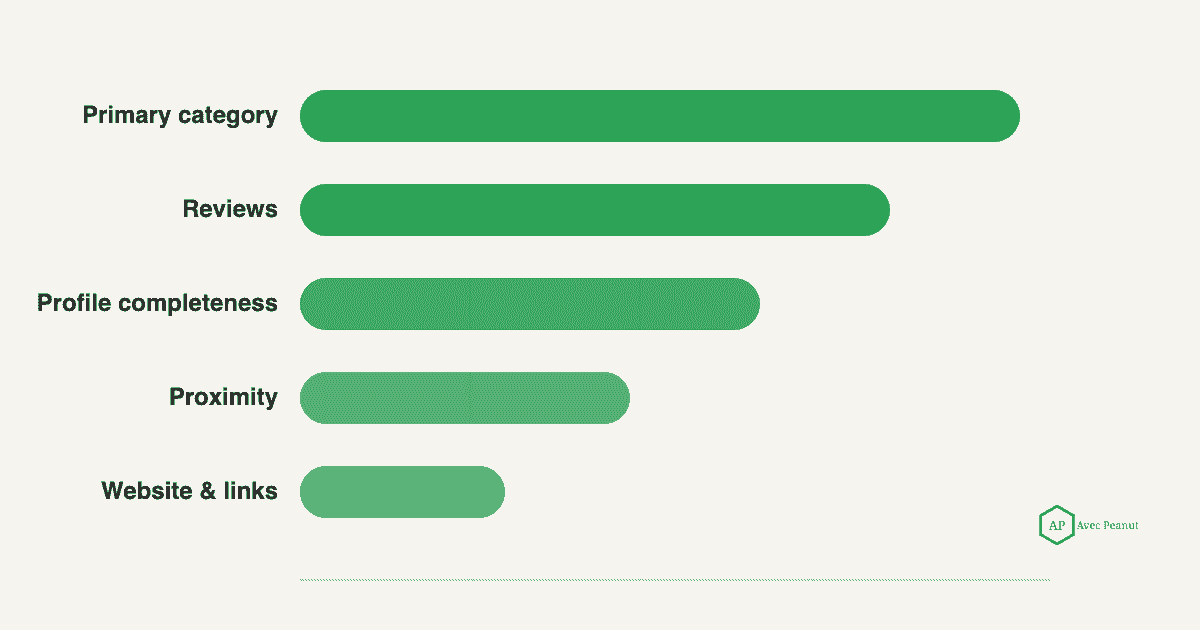
You can't change distance much - you are where you are. So the leverage is in relevance (mostly your Google Business Profile optimization) and prominence (mostly reviews and links). The steps below are ordered to hit the biggest relevance and prominence levers first.
Takeaway: You can't move your building, so win on relevance and prominence.
If you can't find yourself at all, start here first with our guide: Why your business isn't showing up on Google Maps
Step 1: Claim and verify your profile
Factor: foundation for all three ranking factors. An unclaimed or unverified profile struggles to rank at all. Verification tells Google you're authorized to represent the business.
Do this: Claim your Google Business Profile and complete verification (video or postcard, depending on what Google offers you). Nothing else on this list works until this is done.
Takeaway: No verification, no rankings! Start here.
Step 2: Get your primary category right
Factor: relevance - the single biggest lever you can control. Your primary category does more to decide which searces you appear for than almost anything else. A Tree Service company listed as "Landscaper" is fighting uphill to rank for search terms like "tree removal."
Do this: Set the most specific primary category that matches your core money service (e.g. "Tree Service," "HVAC Contractor," "Roofing Contractor"). Add secondary categories for your other real services - but don't dillute with categories you don't actually serve with your business.
Takeaway: Your primary category should match the exact service you most want the phone to ring for.
Step 3: Complete every field on your profile
Factor: relevance. Google states that complete, accurate profiles are more likely to show up in rankings. Every blank field is a missed relevance signal.
Do this: Fill in services (with descriptions), service areas, hours, attributes, and a real business description. List every service you want to be found for. Treat "100% complete" as the floor, not the finish line.
Takeaway: A half-finished profile ranks like a half-finished profile.
Step 4: Build a steady steam of reviews
Factor: prominence - the biggest prominence lever. Reviews are one of the strongest signals Google uses, and recency and consistency matter as much as the total. Two hundred reviews from three years ago lose in rankings to a competitor earning a few reviews every week.
Do this: Build a simple habit - ask every happy customer for a review, ideally right after the completed job, while they're still glowing and very happy with the service you provided them. A short text with a direct review link works better than "look us up on Google." Aim for a steady flow, not a one-time push.
Takeaway: A steady drip of recent reviews beats a big stale pile.
Step 5: Respond to every review
Factor: prominence + engagement. Responding shows Google (and customers) an active, engaged business. It also gives you a natural, non-spammy place for service and location context.
Do this: Reply to every review, good or bad. Thank the good ones; respond to the bad ones calmly and professionally. Work in the service and city naturally when it fits ("Glad we could sort out the water heater for you in [town]") - never force keywords.
Takeaway: Unanswered reviews are a missed, free signal. Answer them all.
Want to go more in depth on review generation and review response strategy? Read our guide: How to Get More Google Reviews
Step 6: Add real photos on a schedule
Factor: prominence + engagement. Fresh, genuine photos help Google understand your business and give customers a reason to choose you. Job-site photos beat stock photos every single time.
Do this: Upload photos regularly - before/after shows, crews, trucks, completed work. A steady cadence (say, a few a week). It's also a great practice to watermark your photos as well, with your business Name, Address, and Phone Number.
Takeaway: Real, regular photos beat a static gallery of stock images.
Step 7: Make your business info identical everywhere
Factor: prominence + trust. Inconsistent name, address, and phone number (your "NAP") across your website, Facebook, and directories sends Google mixed signals and can suppress visibility.
Do this: Pick ONE exact format for your business name, address, and phone - and make it identical everywhere. Clean up or claim duplicate and outdated listings on the major directories.
Takeaway: Consistency builds trust; inconsistency quietly holds you back.
Step 8: Strengthen your website for local
Factor: relevance + prominence. Your website supports your map rankings. Clear local, service-specific pages help Google connect your profile to real relevance, and links from other sites should build prominence.
Do this: Make sure you have clear pages for each core service and the areas you serve, with your NAP consistent and your Google Business Profile linked to your website. Earn a few quality links over time via suppliers, associations, and local sponsorships.
Takeaway: Your website and your profile work together - don't optimize for one and ignore the other.
Step 9: Set your service areas correctly
Factor: relevance + distance. Home service businesses that travel to customers should be set up as service-area-businesses with the right areas listed. Wrong settings can quickly drop you out of the towns you want to rank in and service.
Do this: Confirm your service areas reflect where you actually work. If you don't serve customers at your address, set it as a service-area business. Prioritize the areas where you most want jobs to service.
Takeaway: Correct service-area setup decides whether you show up beyond your own street. If you have questions about setting your business up as a Address-based or Service-area based business, do not hesitate to reach out to me. I will provide this guidance at no cost to you.
Step 10: Measure where you actually rank
Factor: measurement - how you know any of this worked. Here's what trips up most owners: a single Google search shows one snapshot from one spot (where you searched from - physically). Your ranking changes block by block across your service area. Checking from your office tells you almost nothing about your actual rankings across the cities and towns you service.
Do this: Track your ranking from many points across your service area using a grid scan, so you can see where you're strong (green) and where you fall off (red) - then focus your effort on the highest-value gaps. That is exactly what we map in a free local SEO audit: where you show up, where you don't, and what to fix first.
Takeaway: If you're not measuring across your whole service area, you're guessing.
What NOT to waste your time on
Just as important as the to-do list is the skip list. These tactics either don't work, or just actively risk your profile of being suspended:
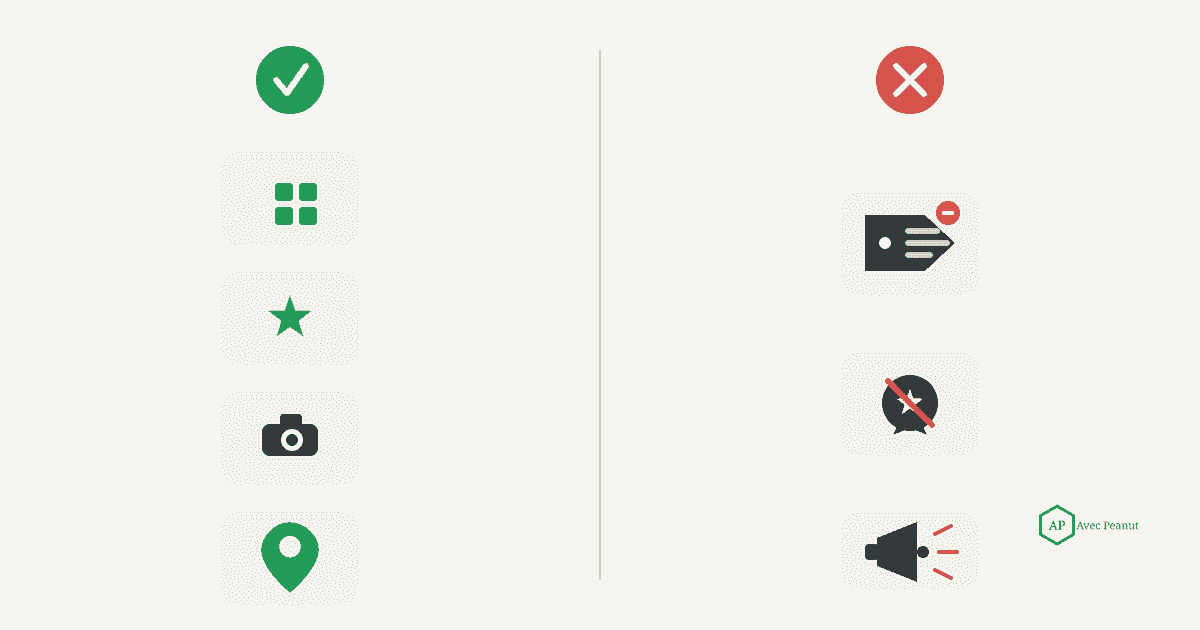
- Stuffing keywords into your business name. Adding "Best Tree Removal" to your name violates Google's guidelines and can get your profile suspended. Use your real business name. (If this is an issue, contact me about setting up a DBA).
- Buying fake reviews. It's against the rules, customers can smell it, and it puts your whole Google Business Profile at risk. Earn them instead.
- Posting constantly for "ranking." Google Business Profile posts are fine for promotions and freshness, but they aren't a strong ranking factor. Don't burn hours chasing rankings through daily posts.
- Chasing every citation site. A handful of consistent, quality listings beats hundreds of spammy directory submissions.
- Obsessing over your own search. You're the least reliable person to check your ranking. Measure across the service area instead (refer to Step 10).
Takeaway: Skip the shortcuts and myths - they waste time at best and risk a suspension at worst.
Frequently Asked Questions (FAQs)
How long does it take to rank higher on Google Maps?
Usually a few months, not days. Profile fixes (category, completeness) can help relatively quickly, while prominence signals like reviews and links compound over time. Competitive markets do take longer.
What's the single most important Googe Maps ranking factor?
There isn't one silver bullet, but for the factors you control, your primary category (relevance) and your reviews (prominence) do the heaviest hitting. Nail both of those first and you have a strong foundation to build and optimize from.
Do Google Business Profile posts help me rank higher?
Not as a strong direct ranking factor. They're useful for promotions and keeping the profile active and engagement, but don't expect daily posting alone to move your rankings.
Why do I rank in some towns but not others?
Distance is a ranking factor, so you'll naturally rank better closer to your business or office address. Strengthening relevance and prominence - and setting up service areas correctly - widens the radius where you show up.
Can I pay Google to rank higher on Maps?
You can run Local Services Ads or Google Ads for paid placement, but the organic Google Maps results are earned through relevance, distance, and prominence - not payment.

